

A short guide on how to categorise refunds within Mighty
In this short article, we'll talk through how to account for refunds you have received on expenses within Mighty. If you're looking for guidance on refunding a client, you can click here for our guide on credit notes.
How to Categorise Refunds in Mighty?
Often throughout the year, you will have expenses refunded to you. Luckily, this is easy to categorise in Mighty, as you effectively categorise them in the exact same manner to the original expense. Let's explain with a quick example:
Using a realistic example thanks to the unreliability of UK trains, let's say that you had a partial refund for a train ticket. You can firstly find this transaction in the bookkeeping section and click categorise as normal, as shown in the yellow border below:

Then, you can simply select the category that the refund relates to, including any VAT if you're VAT registered, and click create expense and approve:
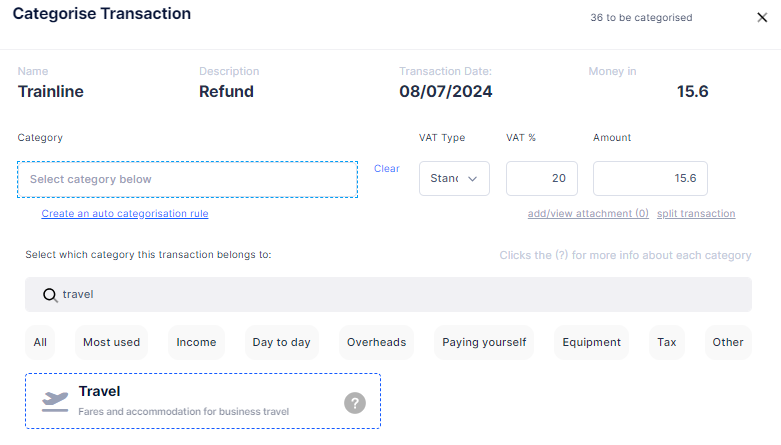
And that's it, you've now categorised the refund in Mighty. Easy!
If you have any questions with this, please get in touch with support (support@mightyaccounting.com).