

A short guide to linking your VAT scheme to your government gateway account
In order to file VAT returns in Mighty, you will not only need to have a VAT registration, but you'll also need to ensure that this VAT account is linked to your HMRC government gateway account.
How to check if your VAT & Government Gateway is linked:
If you can see a section for VAT when you log into your company's government gateway account (click here to login), this will already be linked, so you can jump down to step 2 to get this set-up in Mighty.
If you can't see a VAT section in your government gateway, you will need to follow steps 1-2.
Step 1: Get Government Gateway Access To VAT
You'll firstly need your VAT number, which if you've just recently registered, you may need to wait for them to arrive in the post. It would be useful to also have on hand your VAT certificate and a copy of your last filed VAT return (if you have already filed one), as this will be useful for the security questions that follow (if you don't have access to these, please reach out as we might!).
However, once you have these, you can login to your Government Gateway account and click 'get online access to a tax, duty or scheme', as shown in the yellow border below:
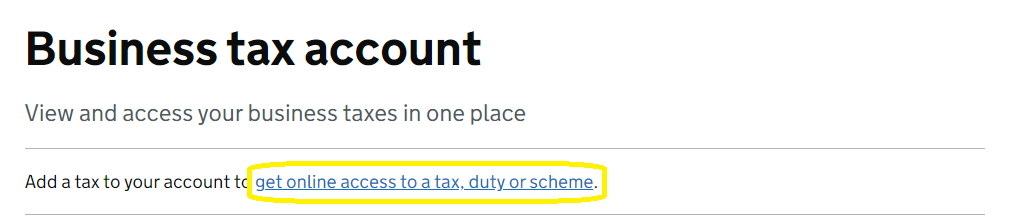
Here, you can select VAT and follow the security questions asked by HMRC. These will commonly include asking for:
- Your VAT Number - this will be the 9 digit VAT reference on your VAT certificate (and on your invoices if you have already sent VAT-inclusive invoices).
- Your VAT registration date - this will be the effective date shown on your VAT certificate (i.e. the date you were registered for VAT from).
- The end month of your last VAT return - if you have already filed a VAT return, it's common that HMRC will ask for the month that your last VAT return ended. For example, if your last VAT return was for the period from 1st June - 31st August 2024, then you would select August-24.
- The box 5 figure from your last VAT return - again, if you have already filed a VAT return, HMRC will commonly ask for the box 5 figure from this return, which is effectively the liability owed to HMRC (or the refund owed to you).
Unlike with the process for PAYE and Corporation Tax (which you'll also need to file payroll and accounts via Mighty), providing the security answers are correct, you should get immediate access to your VAT account, without an activation code being sent in the post.
This means, you'll immediately be able to view your VAT periods, liabilities, payments etc. You can also set up a direct debit for VAT which can be useful.
Step 2: Connect Mighty to your Government Gateway
Finally, you're now ready to connect Mighty to your Government Gateway. You will need to click on Taxes on the side bar and then VAT Returns. This will then bring you to the below screen, where you can click 'Connect to HMRC' and login to your government gateway account:
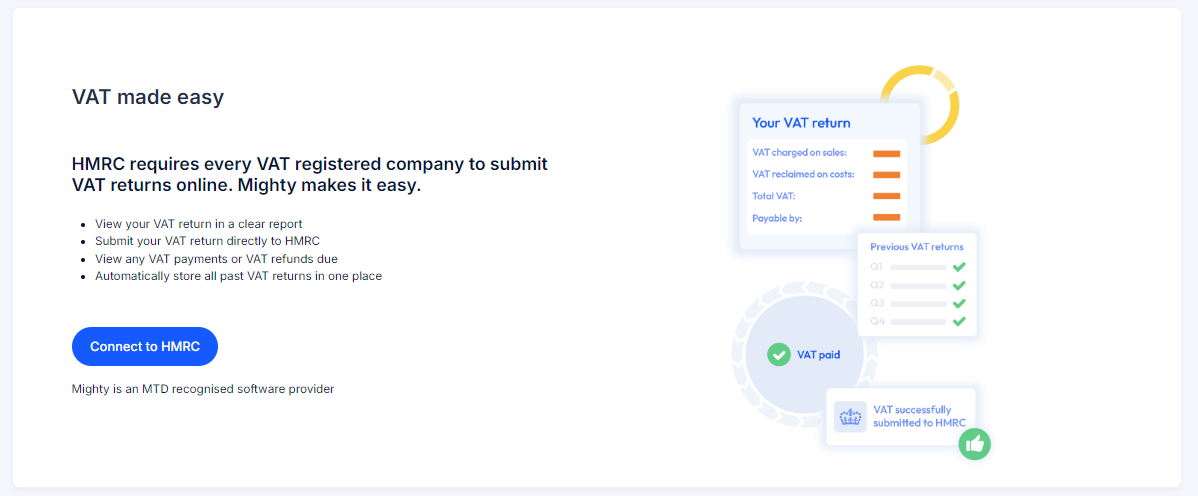
Once you've done this, this will link Mighty to your VAT account and pull in any previously filed VAT returns, as well as showing your future open periods. Most importantly, it will also allow you to file your future VAT returns directly from Mighty.
Tip: If you can't see VAT Returns under the Taxes tab, you'll first need to add your VAT details into Mighty's Tax Settings section first.
If you have any questions with this, please reach out to support (support@mightyaccounting.com).